

Have you ever wanted to create something entirely your own? Building a DIY solder keyboard kit is not just a fantastic way to dive into the world of electronics; it’s an exciting journey that empowers you to create a custom tool tailored to your unique typing style. This guide will walk you through every step of the process, from selecting your materials to the final assembly.
Whether you’re a complete beginner or have some soldering experience, this project is designed to be accessible and fun! You’ll gain valuable skills along the way that can open doors to more advanced projects in the future. Imagine the satisfaction of typing away on a keyboard you built with your own hands! So grab your tools and let’s embark on this rewarding adventure together, because you can absolutely do this! Continue reading to unlock the secrets of creating your own custom keyboard from scratch.
Choosing the Right Solder Keyboard Kit for Beginners
Choosing a solder keyboard kit can be exhilarating, especially when you realize that you’re embarking on a journey to create a personalized tool just for you! There are countless options available, but not all kits are created equal. For beginners, it’s crucial to look for kits that include everything you need while still being straightforward to assemble. The right choice will not only make the build enjoyable but also set you up for success.
When selecting your kit, consider the layout that best suits your typing style. Most beginner kits come standard with a 60% or tenkeyless layout, which saves space and is easier to handle. Look for a kit labeled as “hot-swappable,” which allows you to change out switches without soldering. This can save you time and frustration as you explore different switch types to find the one that feels right for you. Check out user reviews to see what kits other novices found accessible and enjoyable to work with.
Along with layout and switch options, pay attention to the materials included in the kit. A good kit should come with a sturdy PCB, case, stabilizers, and all necessary screws and tools. Having a comprehensive set of instructions is a huge plus and can greatly ease you through the assembly process, especially if you are new to soldering. Many kits also provide additional features such as RGB lighting and customizable keycaps, so don’t hesitate to choose one that speaks to your personal style!
In summary, when choosing your solder keyboard kit, prioritize ease of assembly, layout preference, switch options, and the quality of included materials. With the right kit, you’ll find the journey of building your keyboard not just rewarding but also fun! You can do this-so pick a kit that excites you, gather your tools, and get ready to dive into a hands-on project that is all your own!
Essential Tools and Materials You Need
Building your own solder keyboard is not only a fulfilling project but also an opportunity to craft a personalized tool that meets your unique needs. To ensure a smooth assembly process, having the right tools and materials is crucial. Here’s what you’ll need to get started on this exciting journey!
Your first essential material will be the solder keyboard kit itself, which should come with a PCB (Printed Circuit Board), case, diodes, key switches, keycaps, and other necessary components. If you’re looking for ease of use, consider kits that feature a hot-swappable PCB, allowing you to change key switches without soldering-great for experimenting with different switch types. Additionally, ensure that all components are of good quality to avoid any performance issues down the line.
In terms of tools, here is a handy list to equip yourself properly:
- Soldering Iron: A reliable soldering iron with a fine tip is essential for precise work. Look for adjustable temperature settings for better control.
- Solder: Use rosin-core solder, preferably 60/40 (tin/lead) for ease of use. Lead-free options are available but may be slightly more challenging for beginners.
- Soldering Iron Stand and Sponge: A stand keeps your iron safe and a wet sponge is necessary for cleaning the tip.
- Wire Cutters and Pliers: These are invaluable for trimming excess wire and bending leads as needed.
- Tweezers: Great for handling small components, especially when placing diodes and switches.
- Desoldering Pump: Mistakes can happen, so having a desoldering pump helps you correct them swiftly.
- Multimeter: This is perfect for testing connections and ensuring everything is working as it should before you finalize your assembly.
You can find many of these tools at your local hardware store, or you can purchase a soldering kit online, which may come bundled with various tools that will be useful for both this project and future ones.
By gathering these tools and materials, you’ll be well on your way to successfully building your own solder keyboard. Remember, every expert was once a beginner. Embrace the process, celebrate your progress, and enjoy crafting a keyboard that you can truly call your own!
Step-by-Step Assembly Process Explained
As you dive into the assembly of your DIY solder keyboard, you’re entering a world of creativity and personalization. With each component you connect, you’ll be transforming individual parts into a cohesive tool that reflects your unique style. Let’s break down the assembly process into manageable steps, making sure you feel confident and excited about this project!
Start with laying out all your materials. Having everything organized before you begin is key to keeping your workspace tidy and efficient. Here’s a simple step-by-step guide to help you through the assembly of your keyboard:
1. Preparing the PCB
Begin by securing your PCB on a flat surface. Ensure that all the areas are clean and that you’re familiar with where each component will go. If your kit includes a hot-swappable PCB, you’ll have an easier time later on when experimenting with different key switches.
2. Inserting Components
Next, you’ll want to insert the diodes and switches into their designated spots on the PCB. For the diodes, make sure that the striped side aligns with the correct pad as indicated on the board. Use tweezers for precision!
3. Soldering
With your soldering iron heated and ready, start soldering the components in place. Hold the tip of the iron against the pad and component lead for a second, then feed in a small amount of solder until it forms a small, shiny joint. Remember to remove the soldering iron while holding the solder in place for a perfect weld.
4. Testing Connections
Once you’ve completed soldering, it’s time for a quick test. Before moving on, use a multimeter to check the connections. This step is crucial for ensuring that everything is working correctly before you close up the keyboard.
5. Completing the Assembly
Finally, attach your keycaps and secure the case around the PCB. Double-check all your connections one last time. If everything looks good, plug it in and see your hard work come to life as you type!
By following these steps and maintaining a patient attitude, you’ll find that building your solder keyboard is not only achievable but also immensely rewarding. Remember, practice makes perfect. Don’t hesitate to revisit any steps if things don’t go as planned. Enjoy crafting your personalized keyboard-you’re doing great!
Common Mistakes to Avoid While Building
Building your own solder keyboard can be an absolutely thrilling experience, but even the most enthusiastic makers can stumble along the way. To help ensure your DIY journey is smooth and enjoyable, it’s essential to be aware of a few common pitfalls that can turn excitement into frustration. By recognizing these mistakes before they happen, you’ll be better prepared to handle any hiccups that may arise. Let’s dive into some of the most prevalent areas where beginners often go astray.
Overlooking the Manual
Ignoring the instruction manual can be a rookie mistake. Each keyboard kit is unique, and the setup may vary significantly from kit to kit. Take the time to read through the manual thoroughly before you start. It usually contains vital details about component placement, soldering order, and any specific quirks of your kit. For instance, some boards might require diodes to be oriented in a particular way. If you overlook this, you might end up with a non-functional keyboard, necessitating tedious troubleshooting or even desoldering.
Improper Soldering Techniques
Soldering is an art, and like any skill, it requires practice. A common error among beginners is using too much solder, which can create solder bridges-unwanted connections between two pads that can short-circuit the keyboard. Instead, aim for a small amount that forms a clean, shiny joint. If you’re unsure, practice soldering on some spare components before tackling your keyboard. Additionally, avoid overheating components. A quick touch with the soldering iron is all you need; lingering too long can damage delicate parts.
Neglecting Test Connections
Once you’ve made a few solder joints, it can be tempting to power up and see the fruits of your labor. However, skipping the testing phase can lead to disappointment later on. Use a multimeter to check for continuity on your connections as you go. This step can save you a lot of time and heartache by catching problems early, allowing you to troubleshoot before you finish the assembly.
Forgetting to Secure Components
As you insert switches and other components into your PCB, they may not sit firmly in place. Failing to secure them adequately before soldering can result in misaligned switches, which not only looks unprofessional but can also lead to operational issues. Make sure each component is properly seated in its slot and consider using a bit of tape to hold things in place if necessary while you work.
Being aware of these common mistakes can make your solder keyboard project a delightful and fruitful endeavor. Remember, every great maker has faced challenges, and learning from them is part of the journey. So keep your spirits high, embrace the process, and enjoy bringing your custom keyboard to life! You absolutely can do this!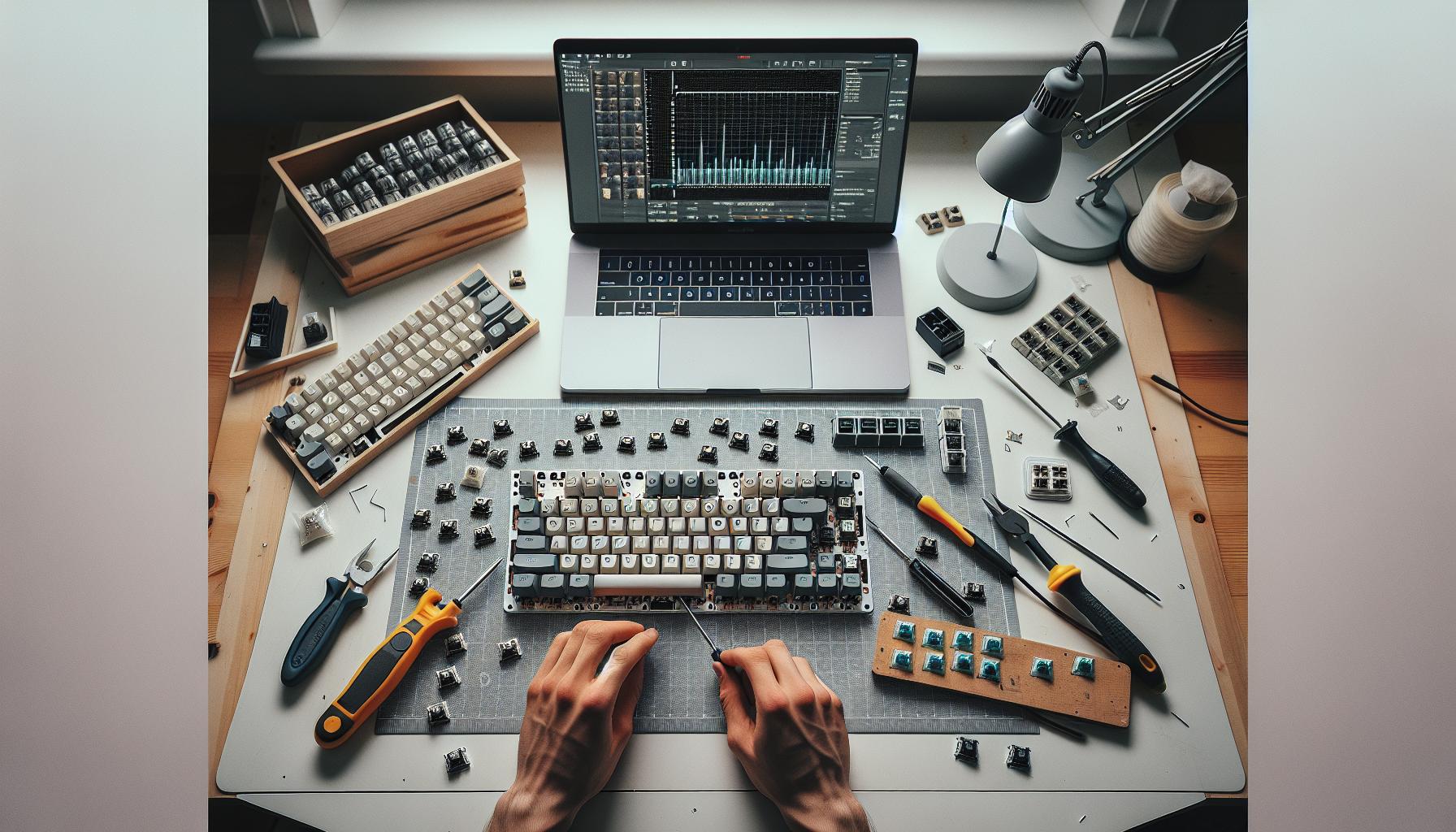
Testing Your DIY Keyboard: Ensuring Functionality
Testing your DIY keyboard is an exciting moment in your maker journey, and getting it right ensures your hard work pays off. There’s nothing quite like the satisfaction of seeing your custom keyboard light up and function flawlessly. Before you dive into a full-on test, ensure you’ve completed your assembly carefully; check that all your components are soldered correctly and securely in place. It’s similar to checking the ingredients before baking a cake – you want to make sure everything is just right before you start getting results!
To start with testing, gather your essential tools: a multimeter for checking connections, a computer or device to connect your keyboard, and any software you might need (like key testing software). Look at the connections on your keyboard PCB and use the multimeter to check for continuity. This process helps you confirm that each switch works as it should and that no short circuits exist. As you test, it can help to make a simple table to track which keys light up and which don’t.
Step-by-Step Testing Process
- Connect Your Keyboard: Plug your keyboard into your computer or device. If it’s USB, just use the cable provided.
- Load Testing Software: Open a simple key test app or online keyboard tester that shows which keys are pressed.
- Press Each Key: Go through your keyboard, pressing each key one by one. Observe the software for any keys that don’t register.
- Identify Issues: If certain keys fail to respond, return to them. Use your multimeter to check if those specific connections have continuity.
Make sure to approach any failures with a problem-solving mindset. Often, issues arise from improper soldering or a component that hasn’t seated completely. Don’t hesitate to reflow the solder or check component placement. This stage is all about fine-tuning your craftsmanship!
Once everything is up and running, congratulate yourself! You’ve not only built a functional DIY keyboard, but you’ve also gained valuable skills in electronics and soldering. Each project only adds to your experience and confidence, so embrace the learning journey. Remember, troubleshooting is a normal part of the process, and every hiccup you face is an opportunity to enhance your skills. Keep going – you totally got this!
Customizing Your Keyboard: Key Switches and Layouts
When it comes to personalizing your DIY keyboard, the choices you make about key switches and layouts can profoundly influence your overall experience. Not only will you create a keyboard that feels uniquely yours, but you’ll also boost your typing speed, comfort, and efficiency by choosing features that suit your style. With a bit of creativity and understanding of the components available, you’re on track to crafting a workspace that matches your needs.
Start by considering the type of key switches; they come in various types like mechanical, rubber dome, and membrane switches, each offering a distinctive feel and feedback. For example, mechanical switches are known for their durability and tactility, making them an excellent choice for avid typists and gamers. Within this category, you’ll find varieties such as Cherry MX switches, which range from the tactile Brown switches to the clicky Blue ones. Picking the right switch not only elevates your typing experience but also impacts the sound your keyboard makes, which can be a delightful aspect for many makers.
Choosing your keyboard layout is equally crucial. Most beginners lean toward the standard QWERTY layout, but here’s your opportunity to experiment! Consider layouts such as Dvorak or Colemak, which promise to enhance typing speed and reduce finger strain after an adjustment period. Additionally, you might want to explore compact layouts like 60% or 75% keyboards that save desk space and offer a minimalist appeal. These layouts often require fewer keys, which can streamline your experience and create a more portable solution if you’re on the go.
Tips for Customization
- Try Before You Buy: If possible, visit a local electronics store or a maker space where you can test different key switches. Feel how each type responds to your touch.
- Plan Your Layout: Sketch out your desired layout or use layout planning software. Take into account any special keys you might want to include-like media controls or macros-especially if you’re a gamer or content creator.
- Experiment: Don’t be afraid to mix key switches! Some keyboards allow you to use different switches for different keys, so you can have tactile feedback where you need it most.
Ultimately, this is about making your keyboard a true reflection of yourself and how you interact with your technology. Enjoy the customization process, and remember that each choice you make brings you one step closer to a keyboard that feels designed just for you! You’re doing great, and the exciting part is you get to create something that genuinely meets your preferences. Keep going-this journey of personalization is part of the fun of DIY!
Troubleshooting Issues During and After Build
Building your own solder keyboard can be an exhilarating experience, but it also comes with its fair share of challenges. It’s important to recognize that troubleshooting is not just about fixing problems; it’s an opportunity to learn, adapt, and refine your skills as a maker. When things don’t go as planned, don’t get discouraged-embrace the process! Here are some common issues you might face during and after the build, along with practical solutions to keep you moving forward.
One of the first problems you may encounter is keys that don’t register when pressed. This can be frustrating, especially after putting in the hard work of assembling your keyboard. Often, this issue stems from poor solder connections or misalignment of components. To check for this, inspect your solder joints carefully; they should be shiny and have a “volcano” shape. If you spot any dull, cold joints, reheat them to fuse the solder properly. Additionally, ensure that the switches are fully seated and snap into place. Double-check the wiring as well; miswiring can lead to non-functioning keys.
Another potential hiccup is the keyboard behaving erratically, such as keys registering multiple times or ghosting effects. This can usually be traced back to a few common culprits such as faulty diodes or incorrect soldering. Take a moment to review your circuit; make sure that diodes are going the right direction-there’s often an indicator on the diode to guide you. If you’ve leveraged a PCB, ensure that all connections are intact and that there’s no short circuit created by excess solder. It’s also worth testing your keyboard layout software (if using one) to ensure that it’s not misreading inputs.
Don’t forget to keep a troubleshooting toolkit at your side! Equip yourself with a multimeter for checking connectivity and voltages, as well as a good desoldering pump for correcting mistakes. Simple tools like these can simplify common repair tasks and provide peace of mind during the build process. Remember, each hurdle you overcome is a step toward becoming more proficient with DIY electronics. As you work through these challenges, celebrate your small wins, and don’t hesitate to reach out to the maker community for tips and encouragement. You’re not alone-every successful maker has been through their share of troubleshooting!
Beyond the Basics: Upgrades and Mods for Your Keyboard
Upgrading and modding your keyboard is where the magic truly happens! Once you’ve built your first DIY solder keyboard, the excitement doesn’t have to end there. You can elevate your creation with upgrades and mods that enhance not only performance but also the aesthetics of your keyboard. These enhancements can transform your basic build into a personalized powerhouse that fits your unique typing style and visual preferences.
Popular Upgrades to Consider
- Switch Replacement: Swapping out your switches is one of the most impactful upgrades you can make. Mechanical switches come in various types-tactile, linear, or clicky-so consider which feel best matches your preference. For instance, trying out Gateron or Kailh switches can provide a fresh tactile experience compared to stock options.
- Lube Your Switches: Applying lubricant to your switches minimizes friction and provides a smoother typing experience. It’s a bit time-consuming but worth it for noticeable improvement in feel and sound quality.
- Stabilizers: Upgrading your stabilizers can significantly reduce minding rattle on larger keys like the space bar and enter key. Look for “clip-in” or “screw-in” stabilizers for a stable and quiet feel.
- Keycaps: Changing out the keycaps can give your keyboard a whole new look and feel. Consider materials (ABS vs. PBT) and profiles (SA, DSA, Cherry) that appeal to you. Custom designs can also express your personality!
Modifications for Enhanced Performance
Going a step further, you might want to dive into some more advanced mods. Here are a few ideas:
- Sound Dampening: To create a quieter typing experience, consider adding sound-dampening foam between the PCB and the case, as well as under the keycaps. This helps reduce echoing sounds and gives your keyboard a more premium feel.
- Custom Backlighting: If your keyboard supports RGB lighting, playing around with custom lighting profiles can bring your setup to life. You can program effects, colors, and brightness to suit your ambiance.
- Firmware and Programming: Explore customizable firmware options like QMK or VIA. These platforms allow you to program key functions, create macros, and set up layers, tailoring your keyboard to work seamlessly with your daily tasks.
Remember, every upgrade or modification is an opportunity to learn something new. Don’t hesitate to experiment and make your keyboard truly yours. The journey of building and customizing your own keyboard is not just about the end product; it’s about the experiences and skills you gain along the way. Whether you’re just starting or looking to achieve the most advanced configuration, you can do this!
By trying out these upgrades, you’ll not only improve your typing experience but also deepen your understanding of how keyboards work. Get ready to enjoy the satisfaction of a keyboard that feels just right under your fingers and showcases your unique style!
Maintaining and Cleaning Your Solder Keyboard
Once you’ve crafted your DIY solder keyboard, the journey doesn’t have to stop there; keeping it clean and well-maintained is key to ensuring it remains a joy to use for years to come. A keyboard can harbor dust, crumbs, and oils from your fingers, which can affect its performance and your typing experience. However, the good news is that maintaining your keyboard is an easy process that anyone can tackle, regardless of their craftsmanship level. You can do this!
To keep your solder keyboard in top shape, start with these straightforward maintenance tips. First, regularly wipe down the keycaps with a damp microfiber cloth to remove surface grime. If your keyboard is especially dirty, a mixture of mild dish soap and water can work wonders. Just be careful not to soak the keycaps; a lightly dampened cloth will do. Avoid using strong solvents that could damage the finish on your keycaps.
Deep Cleaning Your Keyboard
If your keyboard needs a more thorough cleansing, you might want to remove the keycaps for a deep clean. Here’s how to do it step-by-step:
- Gather Your Supplies: You’ll need a keycap puller, a bowl of warm soapy water, and a soft brush (like an old toothbrush).
- Remove Keycaps: Gently use the keycap puller to pop off each keycap. Take your time to avoid damaging the switches.
- Soak and Scrub: Place the keycaps in the bowl of soapy water for a few minutes. After soaking, scrub them lightly with the brush to erase stubborn dirt.
- Rinse and Dry: Rinse the keycaps under running water and lay them out on a towel to dry completely before reassembling.
Once your keycaps are clean, you can turn your attention to the keyboard itself. Use compressed air to blow out any dust or debris nestled beneath the switches. This helps maintain a clean and responsive feel when typing.
Protecting Your Investment
To prolong the life of your keyboard, consider a few protective measures. Using a keyboard cover when not in use can shield it from dust and spills. Additionally, be mindful of what you place near or on your keyboard; keeping food and drinks at a safe distance can drastically reduce the likelihood of spills and crumbs finding their way into your switches.
Incorporating these cleaning practices and precautions into your routine will help you enjoy your solder keyboard to the fullest. This is not just maintenance; it’s a way to appreciate the craftsmanship and effort you poured into building your keyboard. Remember, every few months, dedicate some time to give your keyboard the love it deserves, and it will reward you with responsive keys and a pleasant typing experience. Happy typing!
Community Resources and Support for DIY Enthusiasts
When embarking on your DIY keyboard journey, the power of community cannot be overstated. Imagine having a vast network of fellow makers ready to lend you advice, share experiences, and provide motivation-it’s an incredible boost! Numerous online platforms, forums, and social media channels exist where DIY enthusiasts gather to discuss their projects, troubleshoot issues, and celebrate successes. Engaging with these communities not only enhances your skills but also makes the building process more enjoyable and fulfilling.
One of the best places to start is on Reddit, particularly in subreddits like r/mechanicalkeyboards and r/MechanicalKeyboardsBeginners. Here, you can find a wide array of resources, from build logs and guides to Q&A threads where experienced makers share their insights. These threads often include step-by-step breakdowns of projects, allowing you to learn from others’ successes and missteps. Feel free to post your questions or updates; the community thrives on shared experiences, and most are eager to help newcomers!
Online Tutorials and Blogs
There’s a wealth of knowledge available in dedicated blogs and tutorial sites. For instance, Instructables has numerous user-generated tutorials specifically about building handwired keyboards, detailing the entire process from selecting the right kit to advanced customization techniques [[1]](https://www.instructables.com/Building-a-Handwired-Keyboard/). Additionally, sites like Cherry’s blog offer a structured approach to tools and components you’ll need, which can be invaluable for both beginners and seasoned builders [[2]](https://www.cherry.de/en-gb/company/news/cherry-blog/article/how-to-diy-tastatur-part-2-tools-components).
Another great resource is YouTube, where creators share video tutorials that can make understanding complex concepts much easier. Watching someone else build a keyboard provides visual cues and techniques that are sometimes hard to grasp through text alone. Plus, you can pause, rewind, and replay sections as needed-perfect for those tricky soldering moments!
Connecting Through Social Media
Don’t underestimate the power of social media platforms like Instagram and Facebook, where you can find groups dedicated to DIY keyboards. These spaces allow users to showcase their builds and provide a more visual aspect to the resources available. You might discover new customization ideas for your keyboard, or even local meet-ups where you can collaborate and learn in person.
So dive into these community resources! There’s no need to feel overwhelmed; remember that you’re part of a larger creative family. Every question you ask contributes to the collective knowledge, and every project you complete is a step closer to becoming a more confident maker. You’ve got this!
Inspiring Examples of Completed Solder Keyboards
There’s nothing quite as rewarding as seeing the fruits of your labor take shape, especially in the world of custom keyboards. Completed solder keyboards can showcase not just functionality but also a unique style that reflects the maker’s personality. Each build tells a story, from the initial ideas to the final touches, inspiring both seasoned crafters and newcomers alike. Whether it’s an elegant minimalist design or a bold, colorful setup, completed projects serve as a testament to your capabilities and creativity.
One standout example is a 60% keyboard that integrates vibrant artisan keycaps alongside a sleek aluminum case. The owner took a simple solder kit and added their custom touch by employing RGB backlighting, making the keyboard not only functional but also visually stunning. Configuring the software to match the lighting effects with the themes they use on their desktop is a fantastic way to personalize the experience. This project took just a weekend to complete, involving basic soldering techniques and some easy programming setups.
You might also encounter more intricate builds, such as a split ergonomic keyboard. This design prioritizes comfort and health, utilizing a dual layout that can help alleviate strain for those long gaming sessions or marathon typing hours. The builder crafted each half with carefully chosen switches for tactile feedback while ensuring that the layout suited their typing style. This ambitious project, although more complex and time-consuming, showcased the creator’s dedication and innovation, proving that the effort is definitely worth it.
When you finish your own solder keyboard, consider sharing your journey! Documenting your process can help inspire others. Whether it’s through a detailed blog, a video walkthrough, or posts in community forums like Reddit’s r/mechanicalkeyboards, your experience may motivate someone else to take the plunge into the fascinating world of DIY keyboards. Remember, each completed build not only enhances your skills but also contributes to the vibrant community of makers that welcomes all levels of expertise. So grab your tools, embrace the creativity, and let each keyboard you build reflect the joy of making it yourself!
FAQ
Q: What are the best solder keyboard kits for beginners?
A: The best solder keyboard kits for beginners often include pre-soldered PCBs, clear instructions, and good community support. Look for kits with hot-swappable switches, such as the Aoire Foundry or the DZ60, for a more flexible experience. Always check if the kit includes all necessary components and user guides.
Q: How long does it take to build a DIY solder keyboard?
A: Building a DIY solder keyboard typically takes between 4 to 8 hours, depending on your skill level and the complexity of the kit. Allow time for soldering, testing, and customizing your keyboard layout as needed. Patience is key for a successful project!
Q: What tools do I need for soldering a keyboard?
A: Essential tools for soldering a keyboard include a soldering iron, solder, wire cutters, and a desoldering pump. Additionally, having a multimeter can help test connections. For safety, consider using a soldering stand and anti-static wrist strap to protect your components.
Q: Can I customize my DIY solder keyboard?
A: Yes, you can customize your DIY solder keyboard significantly! You can change the key switches, update the keycaps, modify lighting effects, and even reprogram the layout for better ergonomics. Explore these options in the “Customizing Your Keyboard” section of your build guide to get started.
Q: What are common mistakes to avoid when building a solder keyboard?
A: Avoid common mistakes like neglecting to read the instructions thoroughly, applying too much solder, or improperly placing switches. Always double-check your connections and test before final assembly. The “Common Mistakes to Avoid While Building” section in your guide can offer further insights.
Q: How can I troubleshoot my DIY keyboard if it doesn’t work?
A: To troubleshoot a non-working DIY keyboard, first check all solder joints for cold solder connections or shorts. Ensure the PCB is powered correctly and check your wiring against the build guide. For further help, refer to the “Troubleshooting Issues During and After Build” section of your guide.
Q: Are there online communities for DIY keyboard enthusiasts?
A: Yes, online communities for DIY keyboard enthusiasts include forums like Geekhack and r/MechanicalKeyboards on Reddit. These platforms provide advice, inspiration, and support from experienced builders, helping you connect and learn from others in the DIY keyboard space.
Q: How can I maintain my DIY solder keyboard?
A: To maintain your DIY solder keyboard, regularly clean it with compressed air and a damp cloth to remove dust and debris. Monitor the switches for any issues, and ensure the solder connections remain intact. Refer to the “Maintaining and Cleaning Your Solder Keyboard” section in your guide for detailed tips.
Closing Remarks
Congratulations on taking the leap into building your own DIY Solder Keyboard! With the right materials and a bit of patience, you’ve unlocked the door to customization and creativity in your typing experience. Remember, every key you solder is a step toward crafting a keyboard that perfectly suits your style and needs. Ready to dive deeper? Check out our comprehensive guides on choosing the best mechanical switches and tips for troubleshooting common issues as you build [[1]] and [[2]].
Don’t forget to share your creation with us-your progress inspires others! If you’re considering what to tackle next, our resources on advanced keyboard features and lighting options can elevate your project even further. Join our newsletter for updates, tips, and exclusive crafting insights. You can do this, and we’re here to support you every step of the way. Keep making and exploring; the world of DIY mechanics awaits!
Get our latest guides, news, and insights highlighted in your Google Search & AI Overviews.